2026-11-13 · 27 min · image-generation · video-generation · diffusion · quantization · offloading · gpu · nvidia · benchmarks
A 4:03 narrated explainer, drawn in code. Every number and picture in it is this article's own; the sources are below.
› transcript
An RTX 3090 has twenty-four gigabytes, and no FP8 tensor cores. Which open image and video models still fit on it? Hi, I'm Marisol! I gave four open models the same brief, a two-storey beach house on a beach, and timed every one of them on a 3090. Chapter one. A weights problem. Sum every shard. The small FLUX is fourteen point eight seven gibibytes. Z-Image, nineteen point one one. The video model, twenty-three point oh eight. And Qwen-Image two point one is thirty point two one, more than the card holds. Here is Qwen-Image two point one in host memory: a text encoder, a denoiser, and an autoencoder. Put all of it on the card and it spills over the line before a single activation. So run one stage at a time. The text encoder comes on alone, reads the prompt once, and leaves. Then the denoiser comes on and runs its forty steps, with plenty of room left. The biggest part of the pipeline did its whole job in the first second. That is why offloading here is cheap. Chapter two. What Ampere can multiply. The 3090's tensor cores take BF16, FP16, TF32 and INT8. BF16 ran at seventy-five point five teraflops. FP8 arrived a generation later. The dtype allocates, but the FP8 matmul raises an error on this card. You can store in it, not multiply in it. That is about fifty-six teraflops, three quarters of a bare matmul. The card is already busy. Fewer bits cannot make it faster. Each step, every one of the small FLUX's three point eight eight billion parameters meets each of four thousand and ninety-six image tokens, at two FLOPs each. Thirty-one point seven teraflops, and the step took point five six five seconds. The small FLUX in BF16, seed eleven: two point six seconds. The same seed with the denoiser stored in FP8. Three point six gibibytes less, five percent slower, and the chimney moved. And at two thousand and forty-eight pixels, eighteen point six seconds, with four hundred and eighty-two mebibytes left on the board. Chapter three. Five seconds of it moving. Start from the small FLUX's golden-hour still, fifteen thirty-six by eight sixty-four. The video model resizes it to its own frame, eight sixty-four by four eighty. This is the setting that matters. With the default scheme, the clip forgot the image after one noisy frame. Tail conditioning keeps it. Ten steps at thirteen point seven eight seconds each, with module offload holding forty-seven point three gibibytes of host memory. A hundred and twenty-one frames. Three minutes fifty-one seconds, load included. And here it is. The shingles, the balcony and the boardwalk hold while the camera moves in. Here is what broke, and each one is fixable. Image to video ignored the image, even the repository's own example, on the default conditioning scheme. Tail conditioning fixed it for my stills. Z-Image finished all nine steps at two thousand and forty-eight pixels, then ran out of memory in the decoder. And the FP8 matmul simply refused to run on compute capability eight point six. On a 3090, precision buys memory, never speed. If the BF16 weights fit, run them in BF16. If they don't, offload one stage at a time. To recap. The small FLUX makes an image in two point six seconds. FP8 is only storage on Ampere. And the video model needs tail conditioning to keep your still. Every source is in the full article. I'm Marisol. Bye!
Why read this
Notabletop 60%Four open image and video models run on one RTX 3090 with one brief: measured time, VRAM, RAM, offload cost, and why FP8 only saves memory on Ampere.
- Original analysis
- Runs on a consumer GPU
- Widely used
Image & video generationMixed licencesPractitioner guide
How this was scored
- Is it new?
- 1 of 3: An incremental tweak
- Can I trust it?
- 2 of 3: Measures key facts from files, code or configs
- Can I run it?
- 2 of 3: Open code or weights with real limits
- Will I understand it?
- 2 of 3: Mechanism from first principles with figures
- Can I act on it?
- 2 of 3: A concrete recipe, numbers or comparison
- Will it last?
- 1 of 3: Relevant for months
- Does it affect many?
- 2 of 3: A widely used model, tool or lab release
- Only here?
- 2 of 3: A teardown or measurement few others did
Score 62 of 100, ranked 369 of 740 rated articles. Each question is answered 0–3 by hand, and a 3 is rare. How articles are scored
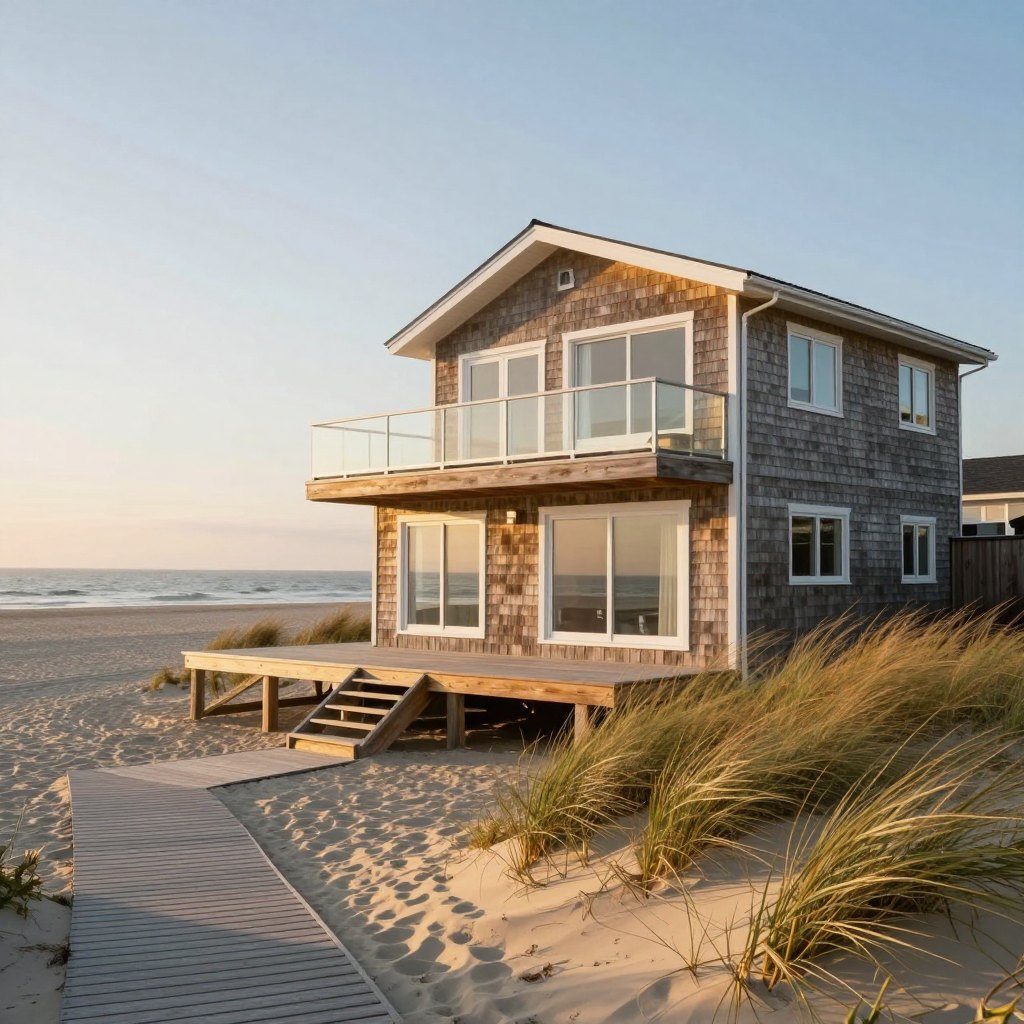
The brief was one house. Two storeys, on a beach, in five lights: golden hour with a wraparound deck and dune grass, blue hour with every window lit, the living room looking out through sliding doors, a drone over a cove, and a storm coming in. Then a few seconds of it moving. The same house went to three Claude models as walkable 3D scenes in One brief, three Claude models; this time it goes to open image and video models, as pixels.
The card was one too: an RTX 3090 in an older workstation with an i7-6850K, 125 GB of RAM and a
PCIe 3.0 slot. nvidia-smi reports 24,576 MiB, a 390 W power limit and compute capability 8.6. It
has as much memory as a 4090, and it is two generations behind the precision tricks today's model
cards assume.
It is also shared. Two Blender agents and a few evaluation jobs take turns on it through one lock
file, so every GPU command below ran under flock on that lock. The harness sampled
nvidia-smi --query-compute-apps every 250 ms during each image and recorded any other process on
the card. The list came back empty for every row in this article.
The models, and the ones I left out
Every model here is open-weight, and I ran each through its own official runtime: the diffusers pipeline its model card names, or the vendor's own repository.
| Model | Hub revision | Licence | Runtime |
|---|---|---|---|
| FLUX.2 klein 4B | e7b7dc2 | Apache-2.0 | diffusers 0.42.0, Flux2KleinPipeline |
| Z-Image-Turbo | f332072 | Apache-2.0 | diffusers 0.42.0, ZImagePipeline |
| Qwen-Image-2.1 | d26bb61 | Qwen Research License, "for research or evaluation purposes only" | diffusers 0.42.0, QwenImage21Pipeline |
| Kandinsky 6.0 Lite distill | 4c487e8 | MIT | kandinsky-6 at 73b892b, kandy generate |
All of it on PyTorch 2.14.1+cu130 and transformers 5.18.0, exactly as the Kandinsky repository's
uv.lock pins them, so one environment served all four. Qwen-Image-2.1's licence allows this
use, an evaluation, and nothing past it; the site's Qwen-Image-2.1 article
covers what that means for anyone who wants to ship with it.
Some candidates did not make it, and each had a specific reason:
- FLUX 3 Image Klein is gated behind a licence click on the Hub, and I had no Hugging Face token on these machines. FLUX.2 klein 4B, its ungated Apache-2.0 predecessor, is the one I ran.
- Qwen-Image-3 has no weights to download.
- Kandinsky 6.0 Pro distill was the stronger video model I wanted. Its denoiser alone is 30,139,423,760 parameters and 60.3 GB on disk. The disk this box shares with other people's data fell to 671 MB free during the day, with my own downloads (about 100 GB at the time) part of the reason, so from then on I kept my footprint near 45 GB and fetched one model at a time. A 60.3 GB file does not fit under that. It would have run with block offload from host RAM; the Kandinsky README times that at 235.0 s per clip on an RTX 4090.
- SANA-Video 2.0 needs NVIDIA's own repository rather than a diffusers pipeline, and its autoencoder is a separately licensed LTX component. I did not set that up.
Twenty-four gigabytes is mostly a weights problem
PyTorch's torch.cuda.mem_get_info sees 23.56 GiB of the card. The CUDA context and the desktop
take a few hundred MiB of that before a model loads. What is left has to hold the weights of
whatever stage is running, one forward pass of activations, and, at the end, the decoder.
I summed every tensor in every shard's safetensors header with HTTP range requests before downloading anything:
| Model | Text encoder | Denoiser (DiT) | Autoencoder(s) | All of it in BF16 |
|---|---|---|---|---|
| FLUX.2 klein 4B | Qwen3-4B, 4,022,468,096 | 3,875,544,576 | 84,046,371 | 14.87 GiB |
| Z-Image-Turbo | Qwen3-4B, 4,022,468,096 | 6,154,908,736 | 83,819,683 | 19.11 GiB |
| Qwen-Image-2.1 | Qwen3-VL-8B, 8,767,123,696 | 7,115,124,736 | 337,740,404 | 30.21 GiB |
| Kandinsky 6.0 Lite distill | Qwen2.5-VL-7B + CLIP, 8,415,227,136 | 3,177,988,112 | 796,402,725 (video, audio, vocoder) | 23.08 GiB |
| Kandinsky 6.0 Pro distill | the same, 8,415,227,136 | 30,139,423,760 | the same, 796,402,725 | 73.30 GiB |
The text encoder is the biggest single part in three of the five. FLUX.2 klein's Qwen3-4B has 147M more parameters than its denoiser, and Kandinsky Lite's Qwen2.5-VL-7B is 2.6 times its DiT. The prompt is encoded once per image while the denoiser runs four to forty times, so a policy that keeps the encoder resident spends a large share of the card on a model that finished its work in the first second. That is the case for offloading, and also the reason it is cheap: the stage you evict is the one you need least.
Two of these share more than a family name. FLUX.2 klein and Z-Image both ship Qwen3-4B as their
text encoder, with identical shapes and dtypes for all 398 tensors. I hashed six 64 KiB slices of
every tensor in both repositories, at fixed fractions of its length, by range request. 396 tensors
match at every slice. The two that do not are both in the last layer's MLP: layer 35's up_proj
differs at four slices of six and its down_proj at one. Neither pipeline reads layer 35: klein
takes hidden states 9, 18 and 27, and Z-Image takes hidden_states[-2], the output of the layer
before it. So I downloaded the encoder once and pointed both pipelines at it. This is a sampled
check, not a full hash, but it says the Z-Image rows below are what Z-Image's own encoder would
produce, as far as the layers it uses.
Z-Image-Turbo's denoiser ships in FP32: 24.6 GB on disk for 6.15B parameters. Loading it with
torch_dtype=torch.bfloat16 halves it, and the first load took 52.1 s against 9.2 s once the page
cache was warm.
The widget does the same sum for any precision, with everything on the card at once or one stage at
a time. The amber line is my measured peak from torch.cuda.max_memory_allocated() for the configurations I ran
(for Kandinsky, the whole board from nvidia-smi). Two of the four
pipelines fit 24 GB resident in BF16: klein and Z-Image. Kandinsky Lite's weights alone are 23.08
GiB, which leaves nothing for 50,220 tokens of video activations, so it runs with offload.
Qwen-Image-2.1 does not fit in BF16, and not with its DiT stored in FP8 either, unless the 8.77B
text encoder leaves the card once it has read the prompt.
What an Ampere card can multiply
The 3090 is GA102, compute capability 8.6. Its tensor cores take FP16, BF16, TF32 and INT8 operands. FP8 arrived a generation later with Ada (8.9) and Hopper (9.0), and FP4 with Blackwell. I asked PyTorch on the box, with 8192 x 8192 matmuls:
| Operation | On this 3090 |
|---|---|
| BF16 matmul | 75.5 TFLOPS |
| FP16 matmul | 74.1 TFLOPS |
| TF32 matmul | 39.6 TFLOPS |
INT8 torch._int_mm | 60.1 TOPS |
FP8 torch._scaled_mm | RuntimeError |
The error says it in one line: "torch._scaled_mm is only supported on CUDA devices with compute
capability >= 9.0 or 8.9". The dtype exists, and a float8_e4m3fn tensor allocates fine. You can
store weights in it. You cannot multiply in it.
So an FP8 checkpoint has two ways onto a 3090. The weights stay in one byte and are widened to BF16
just before each layer runs, which halves their memory and adds a cast; or they become BF16 on load,
which saves nothing. NF4 and INT8 weight-only quantisation are the same trade, with a dequantisation
kernel instead of a cast. INT8 is the one low-precision format these tensor cores multiply natively,
and through PyTorch's generic _int_mm it was slower than BF16 here. SageAttention's INT8 attention
kernel is where Ampere gets something back from INT8. I did not build it: the box has the CUDA 12.8
toolkit and the environment is PyTorch built for CUDA 13.0, and I ran SDPA instead.
The same probe measured the bus that offloading has to cross: 11.2 GB/s host to device from pinned memory and 11.1 GB/s from pageable, which is what PCIe 3.0 x16 gives.
Every image model here is compute-bound on this card
This is the argument against chasing precision on Ampere. A 1024 x 1024 image is 4,096 tokens in all three image models: the autoencoder downsamples by 8 and the DiT patches 2 x 2, so the latent is 64 x 64. A linear layer costs 2 FLOPs per parameter per token, so one FLUX.2 klein step does about TFLOP in its linear layers, counting image tokens only and ignoring attention. It took 0.565 s, about 56 TFLOPS, three quarters of what a bare BF16 matmul reaches on this card. Z-Image-Turbo comes to about 51 TFLOPS by the same count. It is a rough count, since some weights see only text tokens, but it says where the time goes. There is little left to win by making the weights smaller. The levers that move time on a 3090 are fewer steps and fewer tokens.
Tokens move both the clock and the memory. At 1536 x 864 a latent is 96 x 54, 5,184 tokens, 1.27
times as many, and klein's step time rose by the same 1.27 times, from 0.565 s to 0.724 s. At
2048 x 2048 it is 16,384 tokens, four times as many, and the step took 2.858 s, 5.1 times longer,
because attention grows with the square of the token count and starts to show. Peak allocated memory
went from 17.26 GiB to 22.90 GiB, and nvidia-smi read 24,094 MiB for the whole board: 482 MiB from
full.
Z-Image did not make it. At 2048 x 2048 its nine steps finished, 47.3 s of denoising at 5.08 s a step, and then the VAE decoder asked for 2.00 GiB with 328 MiB free:
OOM: CUDA out of memory. Tried to allocate 2.00 GiB. GPU 0 has a total capacity of 23.56 GiB
of which 328.38 MiB is free. ... Of the allocated memory 22.63 GiB is allocated by PyTorch
The denoised latent was fine. Its resident weights (19.11 GiB) left 4.45 GiB for the decode, and a 2048-pixel decode needs more than that in one piece. Tiled decoding or moving the DiT off the card before the decode would have saved it; the resident pipeline does neither.
The measurements
gen_image.py loads one pipeline, then generates every prompt and seed in a loop. It times the
whole pipeline call (prompt encoding, denoising and decoding), takes seconds per step from the gaps
between step callbacks, reads peak memory from torch.cuda.max_memory_allocated() and the whole
board from nvidia-smi every 250 ms, and samples the process's resident host memory. Wall times
below are the steady state, the median of the images after the first; the first image after a load
is slower (klein's took 5.05 s against 2.6 s) because kernels are still being selected. Rows marked
n=1 are a single image, the first after its load.
| Model | Policy | Size | Steps | Wall per image | s/step | Peak allocated | Board peak | Host RAM |
|---|---|---|---|---|---|---|---|---|
| FLUX.2 klein 4B | resident | 1024 x 1024 | 4 | 2.6 s | 0.565 | 17.26 GiB | 18,660 MiB | 1.96 GiB |
| FLUX.2 klein 4B | resident | 1536 x 864 | 4 | 3.3 s | 0.724 | 17.90 GiB | 19,498 MiB | 1.93 GiB |
| FLUX.2 klein 4B | resident | 2048 x 2048 | 4 | 18.6 s (n=1) | 2.858 | 22.90 GiB | 24,094 MiB | 1.98 GiB |
| FLUX.2 klein 4B | model offload | 1024 x 1024 | 4 | 11.5-12.1 s | 0.562 | 7.80 GiB | 8,810 MiB | 18.0 GiB |
| FLUX.2 klein 4B | resident, DiT stored FP8 | 1024 x 1024 | 4 | 2.7 s | 0.595 | 13.67 GiB | 15,442 MiB | 2.03 GiB |
| Z-Image-Turbo | resident | 1024 x 1024 | 9 | 9.2 s | 0.98 | 21.50 GiB | 23,072 MiB | 5.21 GiB |
| Z-Image-Turbo | resident | 1536 x 864 | 9 | 11.9 s | 1.27 | 22.13 GiB | 23,832 MiB | 5.27 GiB |
| Z-Image-Turbo | resident | 2048 x 2048 | 9 | OOM in decode (n=1) | 5.08 | 22.63 GiB | 24,036 MiB | 5.21 GiB |
| Z-Image-Turbo | model offload | 1024 x 1024 | 9 | 18.7-19.6 s | 1.00 | 11.95 GiB | 12,918 MiB | 23.6 GiB |
| Qwen-Image-2.1 | model offload | 1024 x 1024 | 40 | 62.4 s | 1.07 | 16.43 GiB | 17,399 MiB | 33.0 GiB |
| Qwen-Image-2.1 | model offload | 1536 x 864 | 40 | 77.2 s (n=1) | 1.344 | 16.43 GiB | 17,399 MiB | 32.2 GiB |
| Qwen-Image-2.1 | resident, DiT stored FP8 | 1024 x 1024 | 40 | OOM loading | 23.03 GiB |
Steps and guidance follow each model card: klein 4 steps at guidance 1.0, Z-Image-Turbo 9 steps at
guidance 0.0, Qwen-Image-2.1 40 steps with true_cfg_scale 1.0, which leaves classifier-free
guidance off. Seeds were 11, 22 and 33 for klein and Z-Image, 11 and 22 for Qwen-Image-2.1.
Offloading is free in pixels and costs seconds
enable_model_cpu_offload() keeps each component in host RAM and moves it onto the card only while
it runs. The pictures do not change: klein's offloaded images and Z-Image's are bit-identical to
the resident ones for the same seed, a mean absolute pixel difference of exactly 0.0.
The time does. Klein went from 2.6 s to about 11.5 s an image, and Z-Image from 9.2 s to about 19 s. The denoising steps themselves ran at the same speed (0.562 s against 0.565 s for klein), so the whole difference is the moves. On the bus alone they are cheap: klein's 14.87 GiB of weights cross PCIe 3.0 in about 1.4 s at the 11.2 GB/s I measured, and about 2.6 s with the trip back. The other six seconds are host-side work in copying pageable memory and moving each model back to the CPU before the next one loads. The memory moved the other way: board peak fell from 18,660 MiB to 8,810 MiB, and host RAM rose from 2 GiB to 18 GiB.
On a 24 GB card that trade is backwards for these two models. Both fit resident at 1024 pixels, and offload costs 9-10 s an image to free memory nothing else is using. It is the right tool for a card the weights do not fit on, which is the next section.
FP8 storage: smaller, slower, and not the same picture
Storing klein's DiT in float8_e4m3fn with diffusers' enable_layerwise_casting and computing in
BF16 cut allocated weights from 14.87 GiB to 11.28 GiB and peak memory from 17.26 GiB to 13.67 GiB.
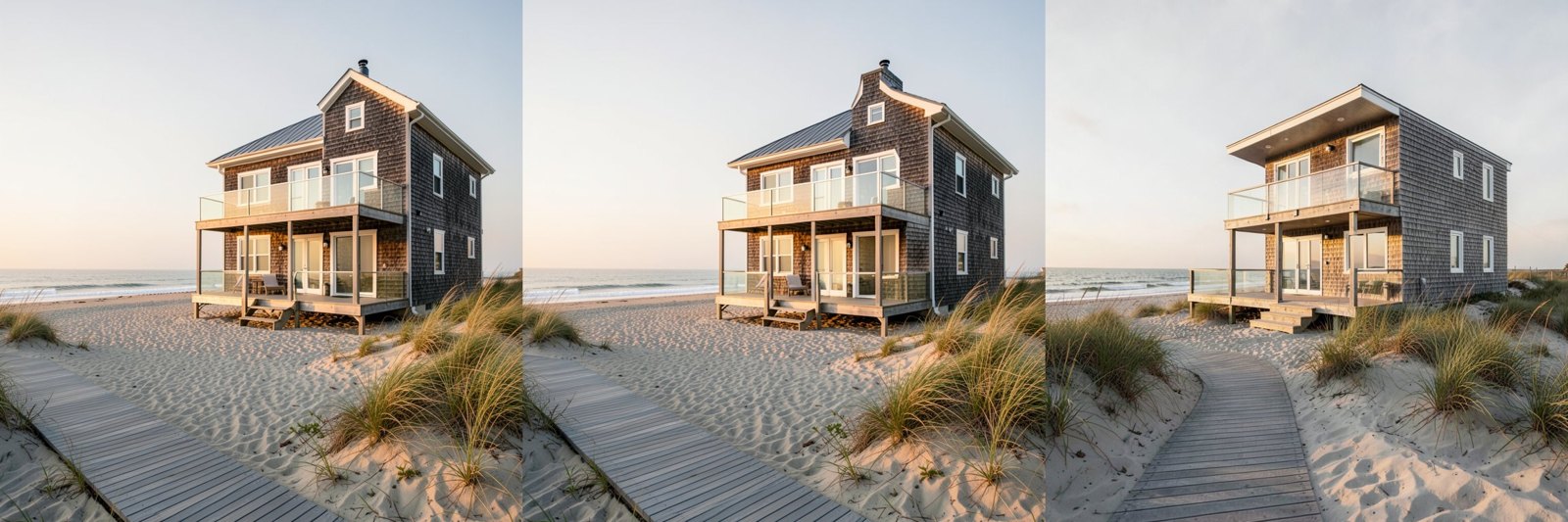
Each step got 5% slower, 0.595 s against 0.565 s, which is the cast. And the image changed. It is
the same house from the same viewpoint, but the chimney moved and the window details redrew, a mean
absolute difference of 7.2 levels out of 255 per channel. Rounding 3.88B weights to a 3-bit mantissa
nudges the trajectory, and a four-step sampler has no later steps in which to pull it back.
The same house, three ways
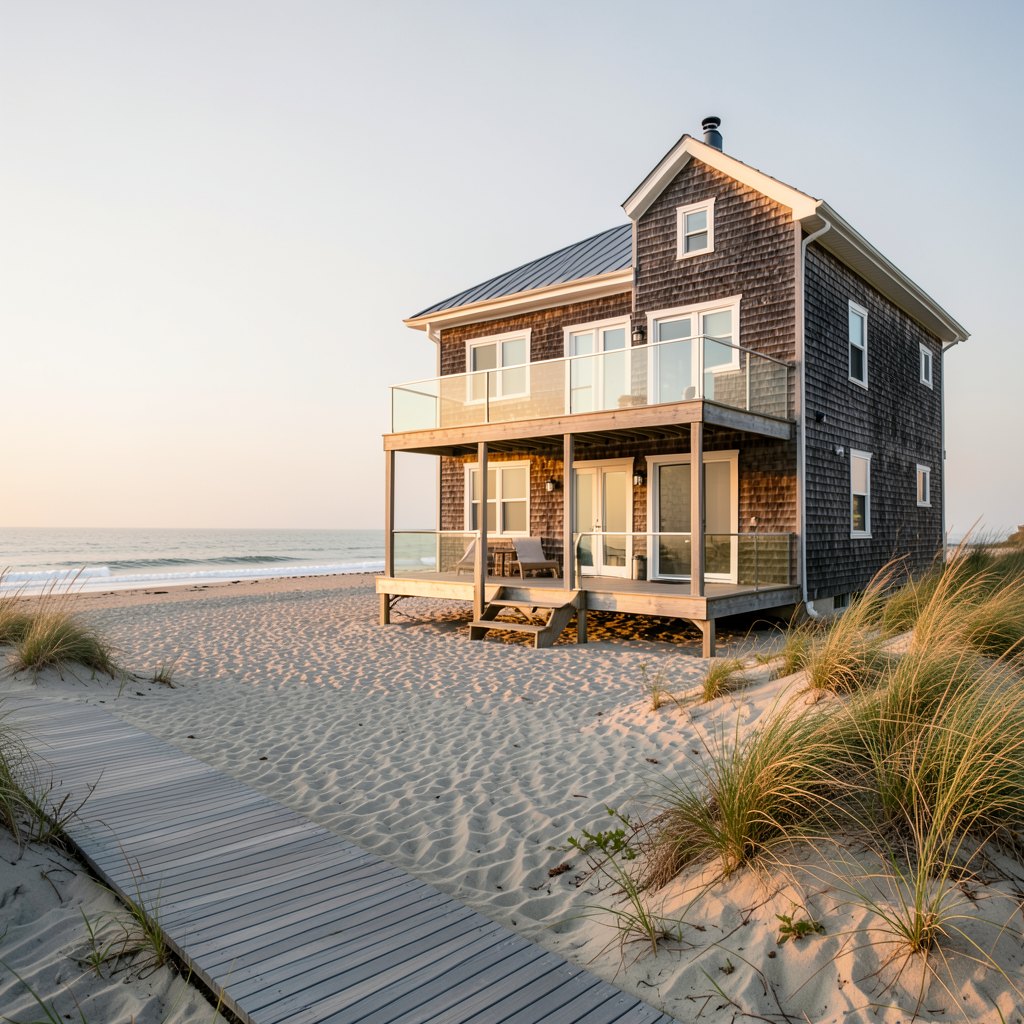
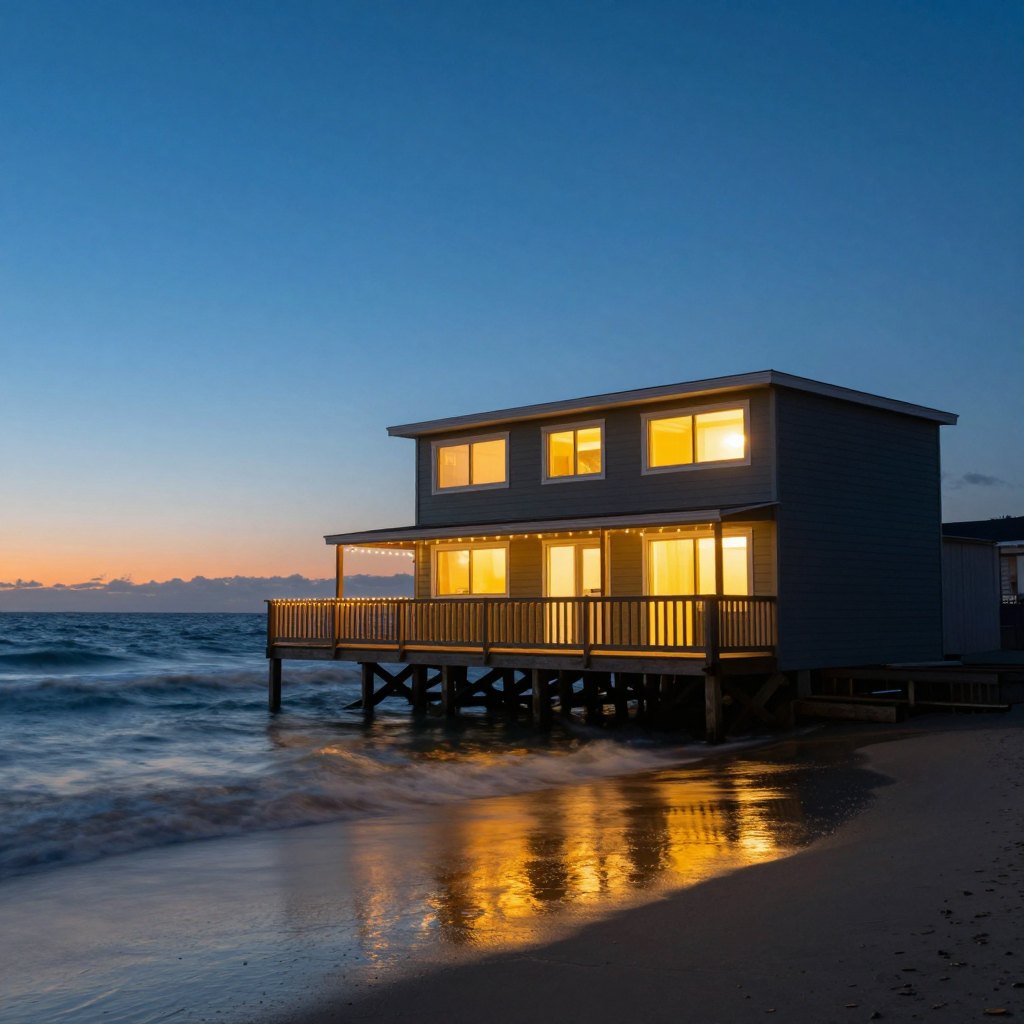
Five prompts, each written once and never tuned per model, at 1024 x 1024: three seeds each for klein and Z-Image, two for Qwen-Image-2.1, whose minute an image I spent more carefully. The widget shows one prompt at a time across the three, with the seed I picked out of the ones I ran. I picked for the brief, not for prettiness: two storeys, the deck, the light the prompt asked for.
What the seeds showed, prompt by prompt:
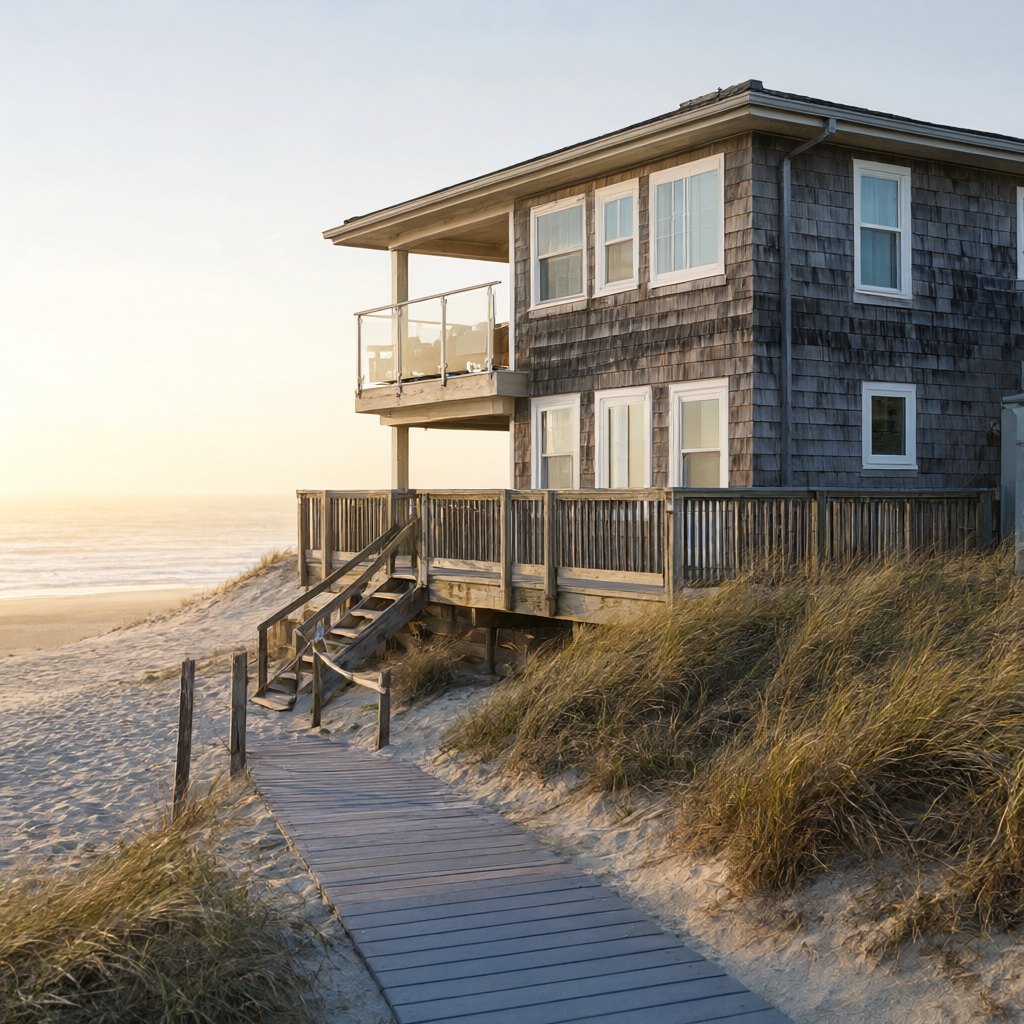
- Golden hour. Both klein and Z-Image draw grey cedar shingles, white trim, a glass-railed balcony, a boardwalk and dune grass in all six images. In none of the six does the deck wrap around a corner; "wraparound" became a front deck every time. Z-Image's light is lower and warmer, closer to "low warm sun from the left". Qwen-Image-2.1 is the one that wrapped it, once.
- Blue hour. Klein drew two storeys on stilts with string lights along the railing in all three seeds. Z-Image drew one storey in two of its three, and only one of its three shows anything like string lights, but its long-exposure wet sand, with the lit windows smeared into it, is the better photograph. Qwen gets both, string lights and reflections, in its second seed.
- Interior. The closest race. Both get the oak floor, linen sofa, jute rug, sheer curtains and dried grasses in a vase, every time. They split on the two spatial words. Klein looks out over the dunes from height, an upper floor, but its "wide open" sliding doors are shut in all three seeds. Z-Image opens the doors and frames the sea symmetrically, from a room at sand level.
- Aerial cove. Klein keeps the house large, with the sandy track through green scrub the prompt asked for, but its "cove" is closer to a point of land with sea on three sides. Z-Image draws the better crescent of turquoise shallows in two of three seeds, and a house so small that the storey count is a guess.
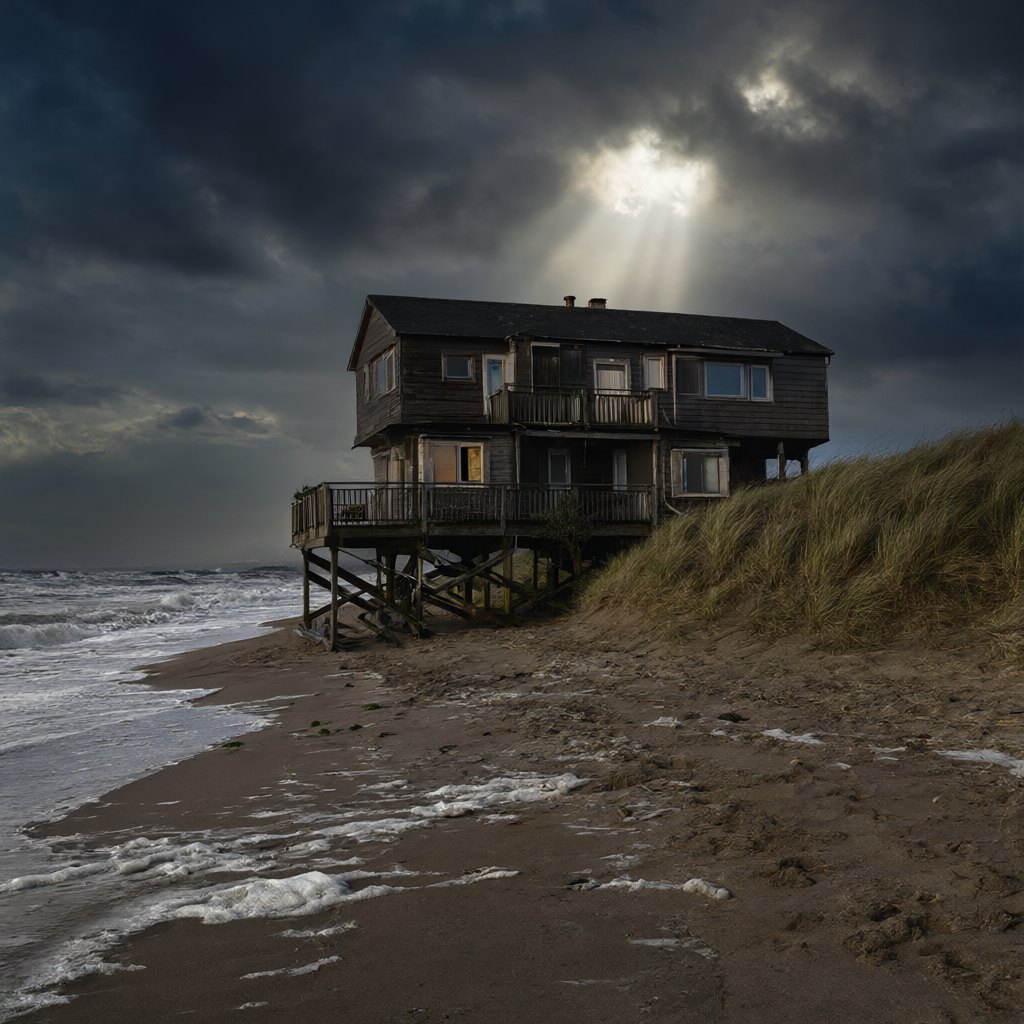
- Storm. The prompt says "a two-storey wooden beach house on stilts", and "on stilts" won. Z-Image drew a single-storey hut in all three seeds. Klein drew one storey, then a loft, then two storeys. Qwen kept two storeys in one seed of two. It is the one prompt where the brief's main constraint failed more often than not.
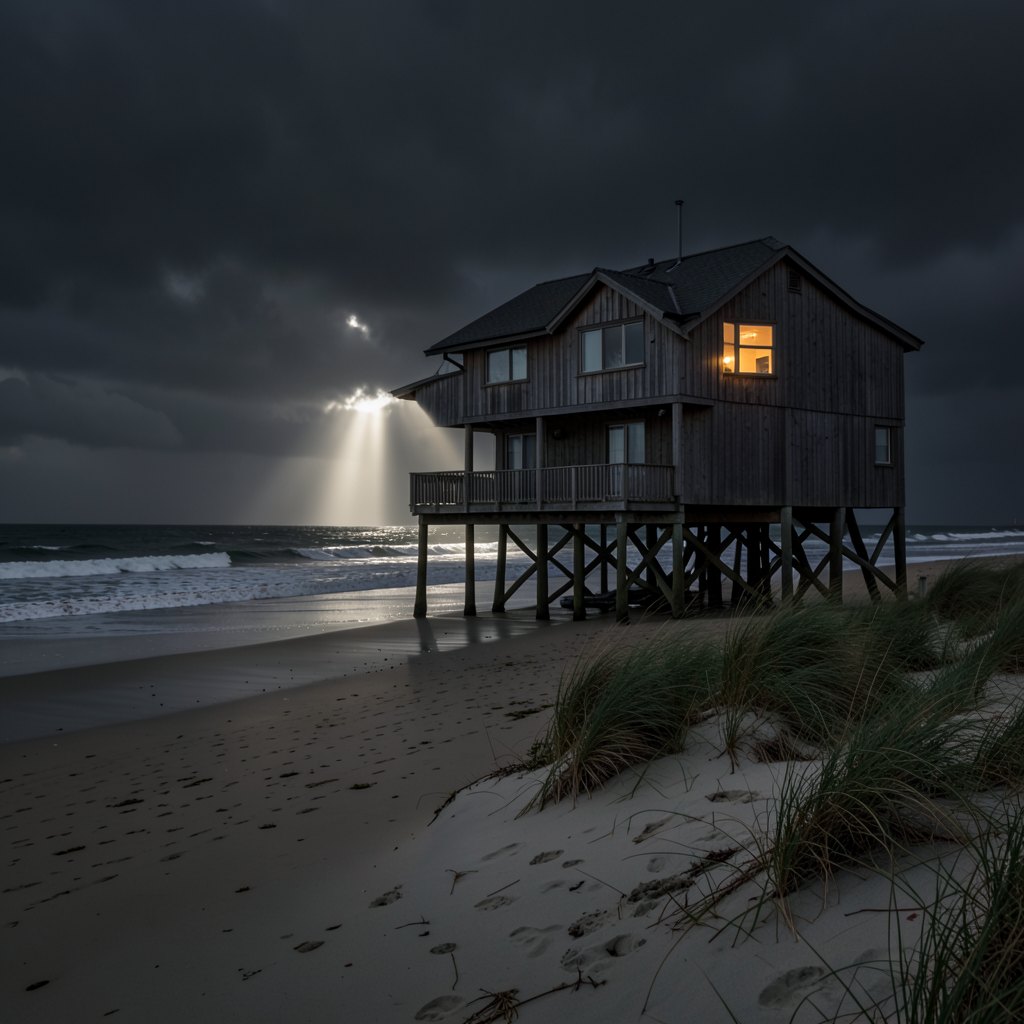
Qwen-Image-2.1 only runs one stage at a time
In BF16, Qwen-Image-2.1 loads as a 16.33 GiB text encoder (Qwen3-VL-8B), a 13.25 GiB denoiser and
a 0.63 GiB autoencoder: 30.21 GiB against 23.56 GiB of card. Storing the DiT in FP8 brings the sum
to 23.59 GiB, still over before the CUDA context and a single activation. I tried it anyway: pipe.to("cuda")
stopped with 23.03 GiB allocated and 35 MiB free, asking for 12 MiB more.
Each stage alone fits easily, so model offload is the configuration that works: the encoder comes on, reads the prompt and leaves; the DiT comes on for its 40 steps; the VAE decodes. The peak, 16.43 GiB, is the encoder's stage, and the board never went past 17,399 MiB. A 1024-pixel image took 62.4 s: 40 steps at 1.07 s, about 7.4 s of decode and offload after the last step, and the encode and moves before the first. Host RAM held 33.0 GiB.
The step is as busy as klein's. is 58.3 TFLOP of linear layers, at 1.07 s a step about 54 TFLOPS by the same rough count. Forty of them are most of why it is 24 times slower than klein per image: 42.8 s of steps out of 62.4 s. The other 19.6 s is the encode, the decode and moving 30 GiB of weights on and off the card, about twice what offload cost klein.
For that minute it follows the brief more closely than either fast model. It is the only one of the three that put the golden-hour deck around a corner, and its storm house kept two storeys on its stilts in the first seed I ran.
Five seconds of it moving
Kandinsky 6.0 Lite distill makes a five-second clip at 864 x 480: 121 frames at 24 fps and a
soundtrack, which I dropped from the clips below. Its weights are 23.08 GiB in BF16, which on a
23.56 GiB card leaves no room for 50,220 video tokens of activations, so I ran it the way the
repository's RTX 4090 preset runs Lite: module offload, the text encoder in BF16, no prompt
rewriter. The one change is attention. The 4090 preset uses SageAttention, which I did not build,
so my preset (rtx-3090.yaml, a copy of the 4090 file with engine: sdpa) uses PyTorch's SDPA.
A step of the distilled sampler took 13.0 s, ten steps 130 s. Text-to-video with --warmup ran two
generations back to back and kept the GPU above 50% utilisation for 365 s, about 182 s per clip,
not counting the load. The README's table puts the same Lite distill clip at
68.0 s on an RTX 4090 with SageAttention and torch.compile, and its profile gives the DiT 42.1%
of that, 2.86 s a step. Mine are 4.5 times slower per step. Part of that is the newer card and part is
SDPA against SageAttention with no compile; I cannot split the two without the kernels I did not
build. The board read 23,713 MiB at peak, and
the process held 47.3 GiB of host RAM: module offload keeps the whole 23 GiB pipeline in system
memory, and on this box that is fine with 125 GB.
At 50,220 tokens the arithmetic from the image models flips. The linear layers come to about TFLOP a step, which at 13.0 s is 24.6 TFLOPS, a third of the card. I did not profile the rest, but attention over 50,220 tokens grows with their square and is the likely bill, which is where SageAttention's INT8 kernel would help.
Image to video, and the flag that makes it work
I fed the clip a still from klein: the golden-hour house at 1536 x 864, seed 22, which Kandinsky
resizes to its 864 x 480 frame. With my rtx-3090 preset, which leaves the conditioning scheme at
the repository's default, the clip ignored it. The first frame
is the still under heavy noise, and from frame two on the model draws a different house that only
follows the text.
It was not my image. The repository's own example, assets/i2va_input.jpg, a cat on a woven
mat at the model's native 864 x 480, did the same thing on the same preset: a noisy first frame,
then a man walking down a path. The setting that matters is visual_cond_scheme. Its default is
pretrain, and the generation-modes doc describes the alternative, tail_cond_first_frame, as
keeping the reference as a conditioning frame. --image on the command line does not set it, so
the preset decides, and none of the device presets at commit 73b892b sets it. I added a three-line preset
(accelerations/tailcond.yaml) that sets it and ran the same seed, prompt and still again:
The house holds. Shingles, the balcony rail and the boardwalk carry through the dolly, and the grass moves. The conditioning frame adds tokens, and each step went from 13.0 s to 13.78 s. The blue-hour still held for the first second and then followed the prompt's "drifts slowly to the right" further than I meant, into the neighbouring houses:
Three image-to-video clips with the default scheme, two with tail conditioning, one text-to-video: that is every clip I made, and the golden one is the only one I would show a client.
What broke
- Kandinsky Lite distill's image-to-video ignored the image on the default conditioning scheme,
for my stills and for the repository's own example, with SDPA and no prompt rewriter on this card.
Setting
visual_cond_scheme: tail_cond_first_framefixed it for my stills; I did not rerun the example with it. - Z-Image-Turbo at 2048 x 2048 and Qwen-Image-2.1 with an FP8 DiT, both out of memory, as above. And FP8 itself, which this card will store and not multiply.
- Kandinsky filled the card at the end of every clip: PyTorch logged 14
expandable_segments: memory mapping failed with OOMwarnings per clip, with 15-37 MB free. They are warnings, not failures. The allocator fell back and every clip finished, but there is no headroom left at 864 x 480, and the Full HD path through the super-resolution model would need it. - The install, which is not the model's fault:
uv synccrawled at about 1 MB/s on this box. I exporteduv.lockto its 96 wheel URLs, fetched them withcurlin parallel and installed them offline with--no-deps;uv pip checkpassed on all 99 packages.
What I would run on a 3090
For stills, FLUX.2 klein 4B, resident in BF16. It is 2.6 s for a 1024-pixel image with 6 GiB of the card to spare, it follows the brief's structural words (two storeys, string lights, a boardwalk) more often than Z-Image does, and it is Apache-2.0. It even renders 2048 pixels in 18.6 s, with 482 MiB to spare. Z-Image-Turbo is the better photographer in two of the five lights, the blue hour and the cove, at 3.5 times the time and with the card nearly full; I would keep it for the shots where the light matters more than the house. Qwen-Image-2.1 is the one I would reach for when the brief is strict and the minute per image is affordable, and only for evaluation, which is all its licence allows.
For motion, Kandinsky 6.0 Lite distill works on a 3090 at about three and a half minutes a clip,
once you set the conditioning scheme yourself. It is the one place where the card's age shows: four
and a half times the 4090's step time, some of it the silicon and some the kernels I did not have
(SageAttention, torch.compile). Pro would not have fit this disk, let alone the card.
FP8, NF4 and the rest are memory tools on this card and nothing else. Every image model here already runs its linear layers at roughly three quarters of the card's BF16 rate, and a format the tensor cores cannot multiply in will not make that faster. If a model's BF16 weights fit in 24 GB, run it in BF16. If they fit only one stage at a time, offload by stage. Quantize only when neither is true.